
Contacts

1,079 ratings
Screenshots
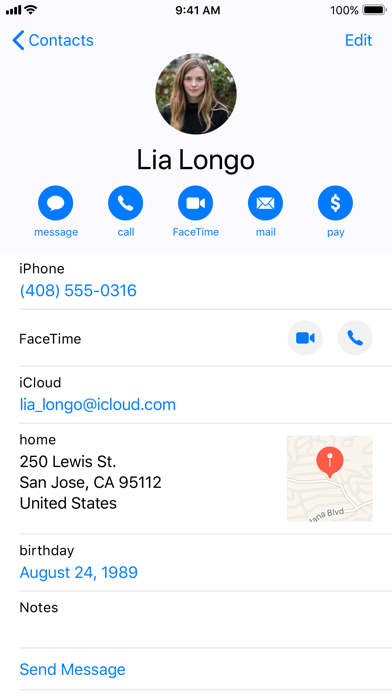
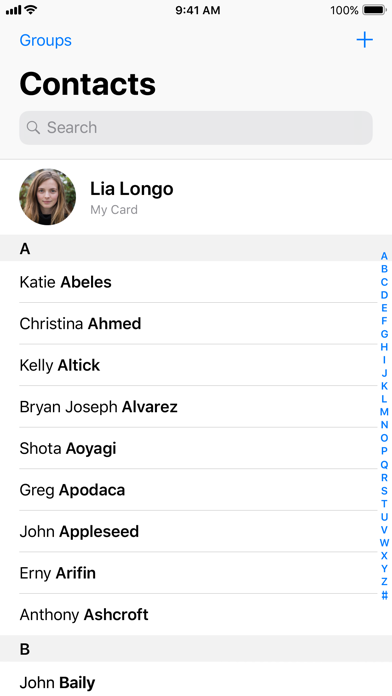
Information
-
Category:Communication
-
Price:Free
-
Age Rating:Everyone
-
Rating:3.5
-
Downloads:5.00B
-
Version:1.6

Google Contacts app introduction: Google Contacts is a contact management service provided by Google that allows users to store, sync, and manage contact information, keeping data consistent across all devices logged into the same Google account.
Google Contacts app features:
• Backup and sync your contacts across all your devices
• Securely back up your contacts to your Google account
• Access your contacts on any device you're logged into (including your future phone)
• Restore contacts deleted in the last 30 days from the recycle bin
• Keep your contact information organized and up-to-date
• View contacts by account (e.g., work or personal)
• Easily add contacts and edit information such as phone numbers, email addresses, and photos
• Get help with merging duplicate contacts, adding useful details, and more
• Stay connected with the most important people
• View important dates, such as upcoming birthdays and anniversaries
• Add notifications so you don't miss any special days
• Easily access recently added or viewed contact information
Google Contacts app advantages:
Cross-device sync: Users can access and update contact information in real time across different devices such as phones, tablets, and computers, avoiding loss of contact information due to device changes or loss.
Cloud Backup: Contact data is securely stored in the cloud with your Google account, providing a reliable backup mechanism to prevent local data loss.
Multi-Platform Support: As the default contact management solution for Android devices, it can also be accessed and managed via a web version or third-party applications.
Contact Management: Offers convenient functions such as adding, editing, categorizing (e.g., work and personal), merging duplicate contacts, and importing/exporting (supports VCF file format) to help users keep their contacts organized.
How to create a new contact in the Google Contacts app?
Open the Google Contacts app, and click the "+" button as shown in the image.
Fill in the relevant information and click save.
Pros: When we tested this contacts app, we found it to be excellent – smooth, fast, and reliable. It's a clean, simple, and highly reliable contact management application. It's even more convenient when used with Google sync.
Cons: Clicking the contact button displays recent call logs, but you have to painstakingly find the contact tab and hope you click it the right number of times, otherwise, other inexplicable problems will occur.
 Google Play
 App Store
Similar Apps



Trending Apps
Contacts
Communication
3.5


YouTube Music
Music & Audio
4.8

Social
4.7

Carrier Services
Communication
4.2

Google Assistant
Productivity
4.7

Google Messages
Communication
4.6

Google Play Games
Entertainment
4.4

Messenger
Communication
4.7

Microsoft OneDrive
Productivity
4.7

Carrom Pool: Disc Game
Sports
4.6