Microsoft's new strategy for testing the beta version of Edge: the browser will launch "uninvited" upon startup.
On April 3rd, Windows Central, a tech media outlet, published a blog post yesterday (April 2nd) reporting that Microsoft is testing a new promotional strategy for the latest Microsoft Edge preview build 147.0.3912.37 on its Beta channel. The browser automatically launches upon user login and displays a banner at the top.
The report indicates that after Beta channel users upgrade to the new version, a banner pops up at the top of the browser after logging into the system: "Edge now launches after you log into Windows, so it's always available whenever you want to browse. You can adjust this in the settings at any time."
Unless the user actively clicks the "Don't use it" button, Edge will run automatically by default every time the computer starts. Screenshots from appsguider.com are attached below:
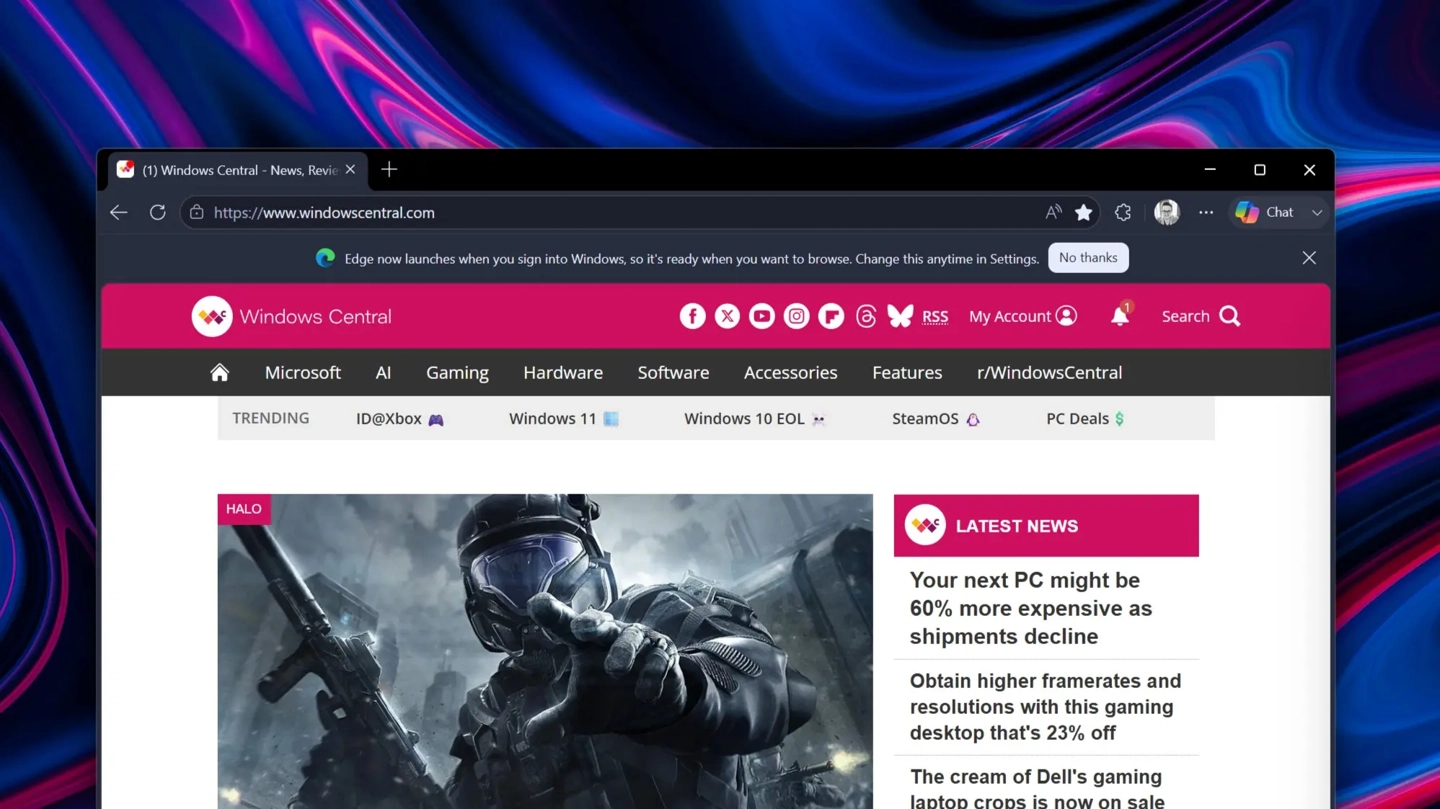
The media outlet argues that the controversy surrounding this feature lies in its "default on" approach. While users can disable the option in settings, the system doesn't use the gentler method of asking whether to enable it; instead, it directly sets automatic startup as the default behavior.
For users accustomed to manually opening their browser after booting up, this "act first, ask later" approach may be inconvenient and even perceived as a tactic to aggressively promote their product.
From a technical perspective, Windows systems previously preloaded the Edge process in the background by default to improve browser cold start speed. This adjustment directly transforms background preloading into foreground display, logically aligning with most users' habit of using their browser immediately upon startup. However, this change was not explicitly mentioned in the changelog.
Microsoft has currently only invited a select group of browser users in the Beta channel to test this feature, and it remains to be seen whether Microsoft will retain or modify this setting based on user feedback.